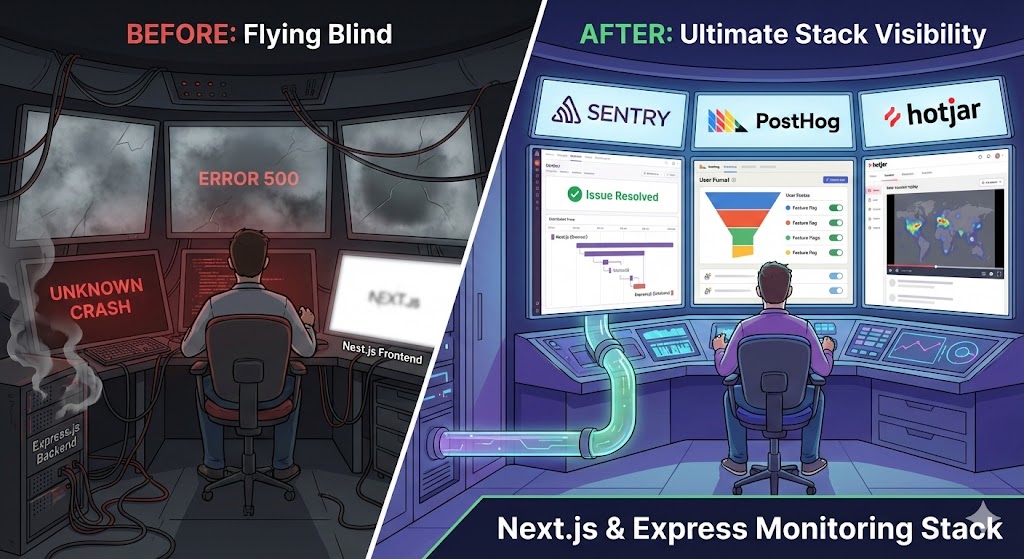
I’ve just deployed the latest full-stack application(yeah, it is still in extreme beta). The Next.js frontend is snappy, server-side rendering is working perfectly, and the Express.js backend REST API passes all its unit tests.
I push to production. Silence.
Is anyone using it? Are they hitting errors? Is that new API endpoint mysteriously slow for users in Europe?
When I build a full-stack JavaScript application, I am effectively managing two distinct worlds. I have the client-side browser environment (Next.js) with its own set of quirks, device fragmentation, and network issues. Then I have the server environment (Express.js) dealing with databases, external APIs, and infrastructure constraints.
If I don’t have robust monitoring and tracking in place, I am not running an application; I am crossing my fingers.
In this post, I am going to look at three powerful tools—Sentry, PostHog, and Hotjar—and how they fit into a Next.js + Express stack to give the complete visibility.
The Challenge of the JS Full Stack
Before diving into the tools, let’s define the problem. Monitoring a Next.js/Express app requires answering three different types of questions:
- The “What Broke?” Question (Error Monitoring): An API endpoint returned a 500 error, or a React component crashed white-screen style.
- The “Why is it Slow?” Question (Performance Monitoring): The checkout button takes 3 seconds to respond. Is it the frontend JavaScript blocking the thread, or a slow database query on the Express backend?
- The “What are They Doing?” Question (Product Analytics & UX): Are users actually finding the new feature we shipped? Why are they dropping off on the signup page?
No single tool answers all three perfectly. I need a stack.
1. Sentry: The Guardian of Code Quality
If I only install one tool on day one, make it Sentry. Sentry is primarily focused on error tracking and performance monitoring.
When an exception throws—whether it’s in a user’s Chrome browser or deep in an async function in my Express node process—Sentry catches it, packages up the context (what browser, what user, what operating system, the exact stack trace), and alerts me.
How it fits my stack:
- Next.js (Frontend): Sentry’s Next.js SDK is superb. It automatically uploads source maps so I get readable stack traces instead of minified gibberish. It catches unhandled promise rejections and React component errors boundaries automatically.
- Express.js (Backend): Sentry integrates as Express middleware. It wraps my request handlers to catch synchronous errors and capture performance data on how long different API routes take to execute.
- The Full-Stack Magic: Because Sentry monitors both ends, it can connect the dots using Distributed Tracing. I can see a transaction start on a Next.js page load, trace the fetch request to my Express backend, trace the database query, and see exactly where the bottleneck or error occurred across the entire path.
Verdict: Essential. Don’t ship without it.
2. PostHog: The Product Growth Engine
While Sentry tells me if my code is working, PostHog tells me if my product is working. PostHog is an all-in-one product analytics suite.
PostHog helps me understand user behavior through event tracking, funnels, and trends. It answers questions like “What percentage of users who visit the pricing page actually sign up?”
How it fits my stack:
- Next.js (Frontend): I use the PostHog JS library to autocapture pageviews and clicks, or send custom events like
button_clicked_signup. It also offers feature flags, allowing me to safely roll out new React components to a percentage of users. - Express.js (Backend): This is where PostHog shines over frontend-only analytics. I can use their Node.js SDK in my Express backend to track critical server-side events that the browser might miss—like
subscription_payment_succeededorcron_job_finished.
Verdict: The best choice for understanding user journeys and product metrics across the full stack.
3. Hotjar: The Empathizer (Qualitative Data)
Sometimes data points aren’t enough. I see in PostHog that 40% of users drop off at a specific form, and Sentry shows no errors. Why are they leaving?
Hotjar provides qualitative data through Session Recordings and Heatmaps. It lets me fundamentally look over the user’s shoulder. I can watch a recording and see a user rage-clicking a button that isn’t responding, or scrolling past important information because it looks like an ad.
How it fits my stack:
- Next.js (Frontend Only): Hotjar lives entirely in the browser. It records the DOM mutations in my Next.js application to reconstruct user sessions. It doesn’t touch my Express backend.
Note on overlap: PostHog has recently heavily invested in their own Session Recording feature. For many teams, PostHog’s recordings are now “good enough” to replace Hotjar. However, Hotjar is still widely considered the specialist in this specific area, offering deeper heatmap analysis and on-page feedback widgets.
Verdict: Excellent for deep-dive UX debugging on the frontend when the numbers don’t tell the whole story.
Putting It Together: The Ideal Stack
I don’t have to choose just one. In fact, the strongest teams often use them in concert.
The “Startup Essentials” Stack (Lean & Mean)
If I am budget-conscious and need to move fast:
- Sentry: For all errors, everywhere.
- PostHog: For analytics, feature flags, and basic session recording.
The “Full Visibility” Stack (Scale & Depth)
If I have a dedicated product team and higher traffic:
- Sentry: The source of truth for technical health.
- PostHog: The source of truth for product health and growth experimentation.
- Hotjar: The specialist tool specifically for UX researchers and designers to optimize frontend flows.
Conclusion
Flying blind is a choice. When I are dealing with the complexity of a Next.js frontend communicating with an Express backend, assumptions will kill my product.
By implementing the right combination of error tracking (Sentry), product analytics (PostHog), and qualitative feedback (Hotjar), I turn the lights on. I stop guessing why users are leaving and start knowing exactly what to fix next.