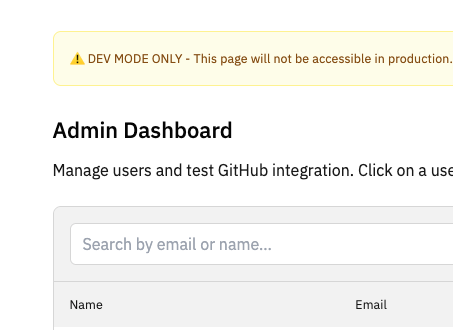
1. Updated Core Objective (MVP Priority)
The primary objective is to facilitate the “Idempotent Testing of GitHub Integration.” * The Goal: With one click, an admin must be able to “forget” a talent’s GitHub connection entirely.
- Why: This allows you to test the input of the GitHub URL, the OAuth handshake, the ID hashing, and the awarding of points (3 AP) as if the user were a brand-new applicant.
2. Technical Standard: The “GitHub Purge” Logic
When resetting a GitHub connection, the backend must remove specific data points from the talent_profiles table to re-enable the “Connect” UI on the frontend.
Fields to Nullify/Reset:
github_id_hash: Removing this allows the same GitHub account to be “discovered” again.github_repos: Clears the stored JSON/Array of repository proof.github_access_token: Revokes the local reference to the session.application_points_ledger: You must add a negative entry (-3 AP) to balance the ledger, or delete the original “GitHub Connect” entry to return the user to a zero balance.
3. Implementation Module: “One-Click GitHub Reset”
A. The Backend Logic (Express.js)
The endpoint should target a specific user_id to allow testing across different accounts.
B. The Admin UI Component
Add a “Test Action” button within the Talent details view of your Admin Panel:
- Label:
[↺ Reset GitHub Connection] - Requirement: Button only renders if
github_id_hashis NOT null. - Success Feedback: Use
Sonnerto confirm: “GitHub data purged. User can now re-connect.”.
4. Security Guardrails
- Environment Lock: The reset logic must check
process.env.NODE_ENV === 'development'before executing. - Point Integrity: Never just “edit” the point total. Always use the
application_points_ledgerto maintain an audit trail of why points were removed (e.g.,reason: "Dev Reset").